
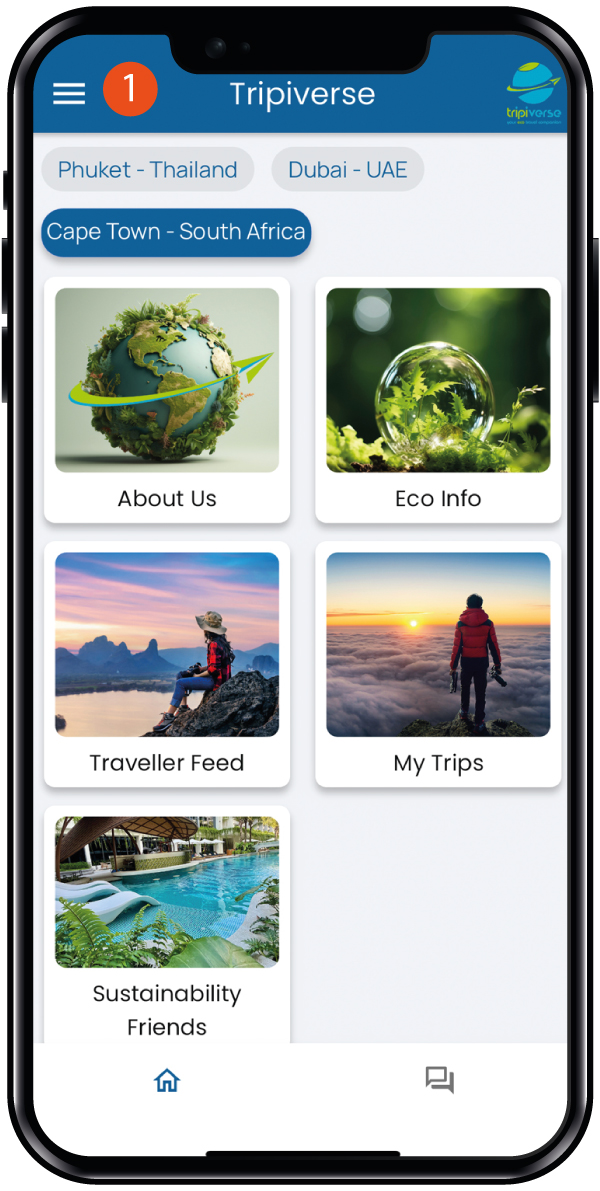
1. Tap the menu on the Home page
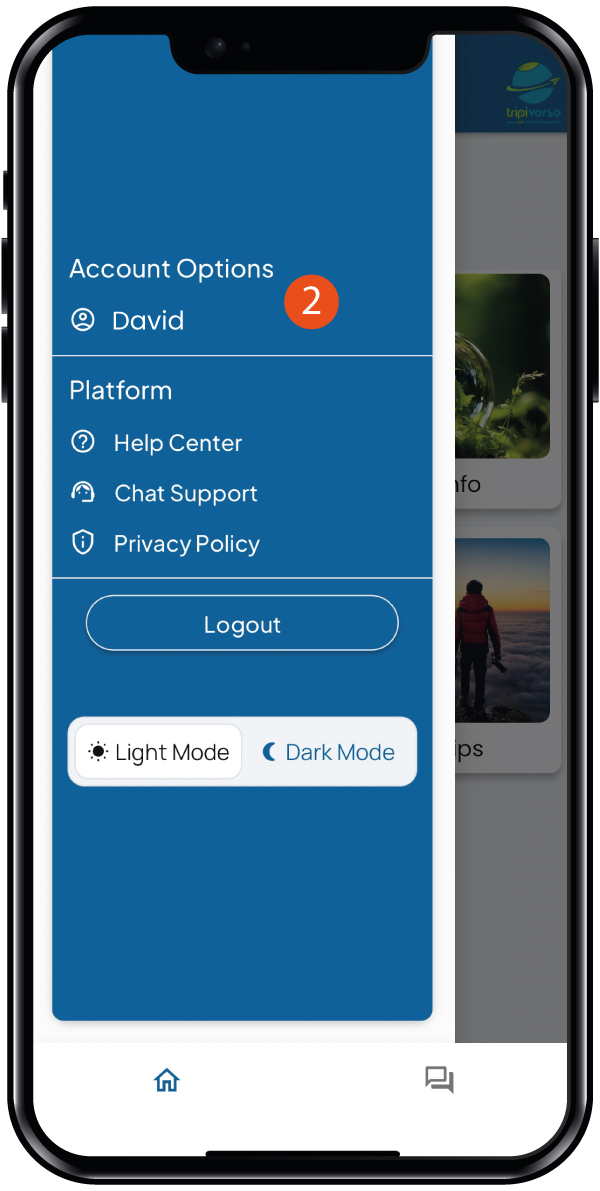
2. Tap on your account name
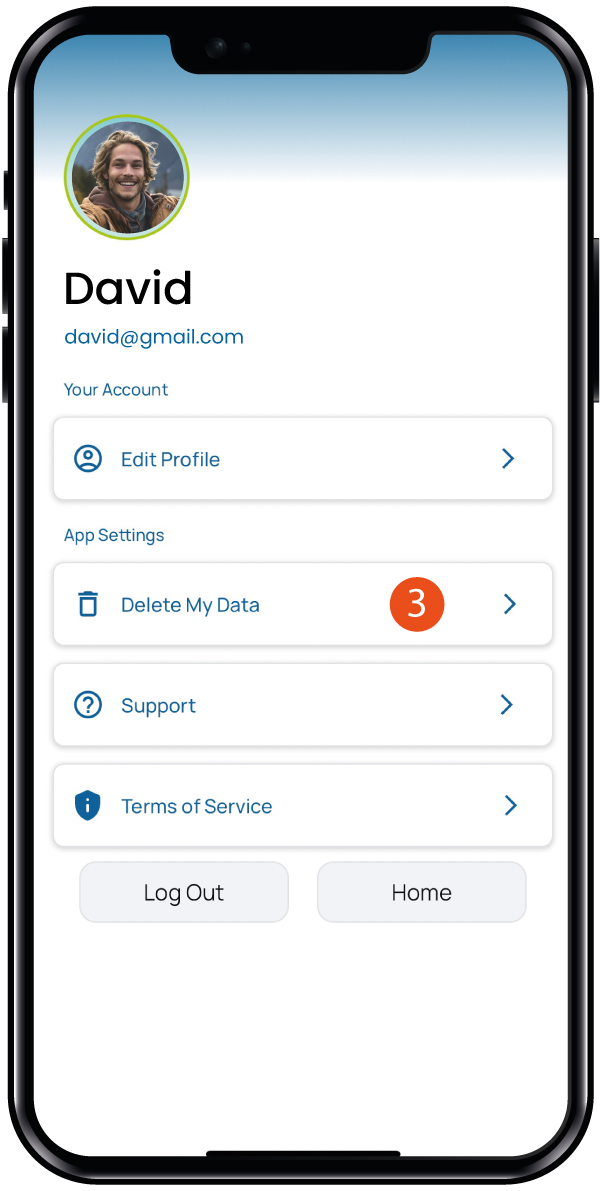
3. Tap on Delete My Data
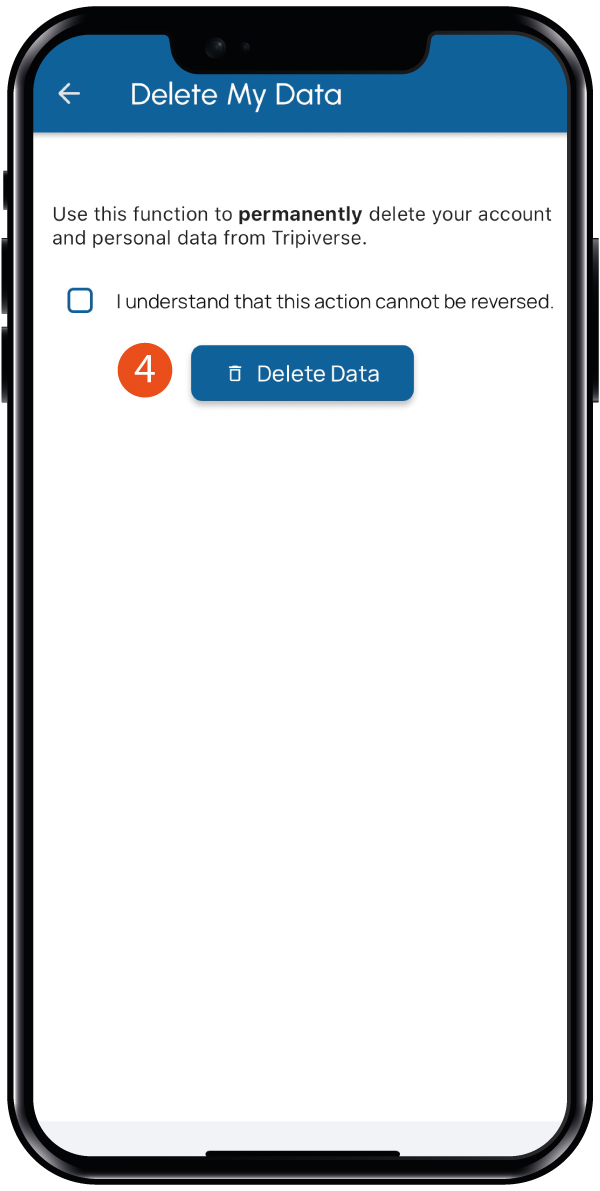
4. Check the box and tap on Delete Data


1. Tap the menu on the Home page
2. Tap on your account name
3. Tap on Delete My Data
4. Check the box and tap on Delete Data